Exportez vos souvenirs Snapchat en 3 étapes simples : téléchargez vos données depuis Snapchat, sélectionnez votre dossier primaire dans notre application et obtenez des photos avec les bonnes dates et le GPS.
First, request your complete Snapchat data export including memories_history.json. This process takes 24-48 hours for Snapchat to prepare your files.
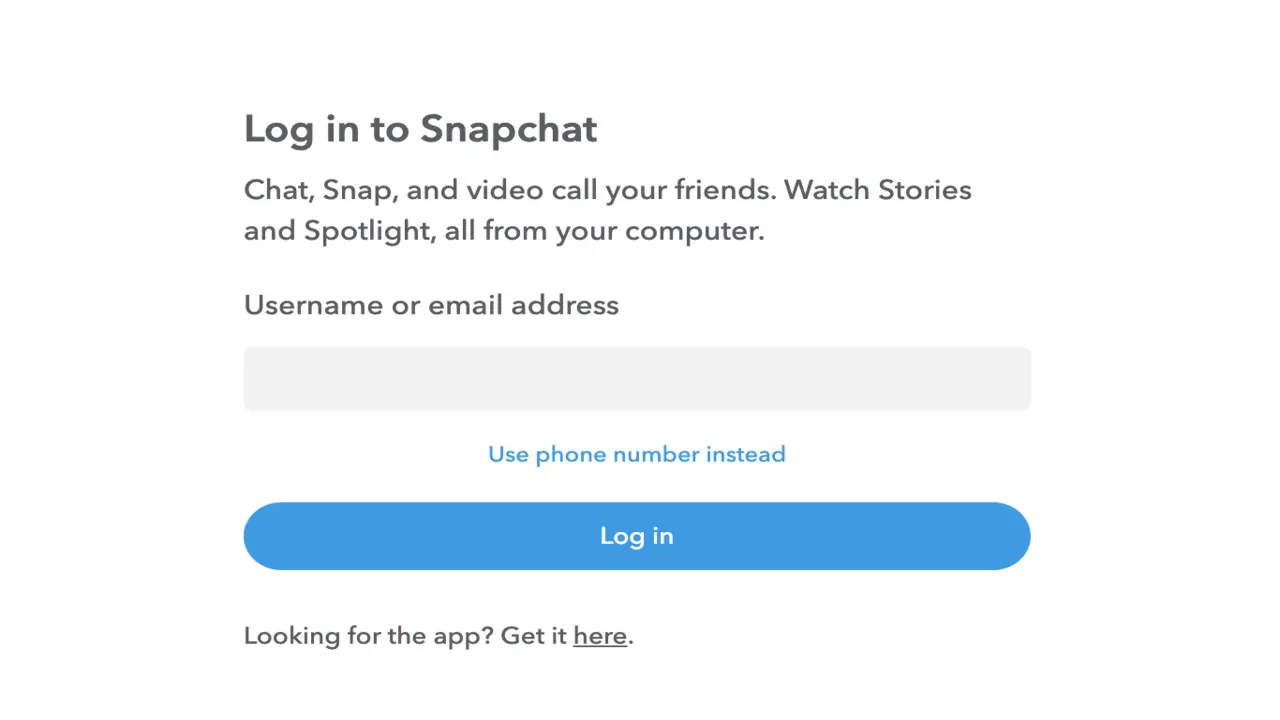
Go to snapchat.com and sign in to your account using your username and password.
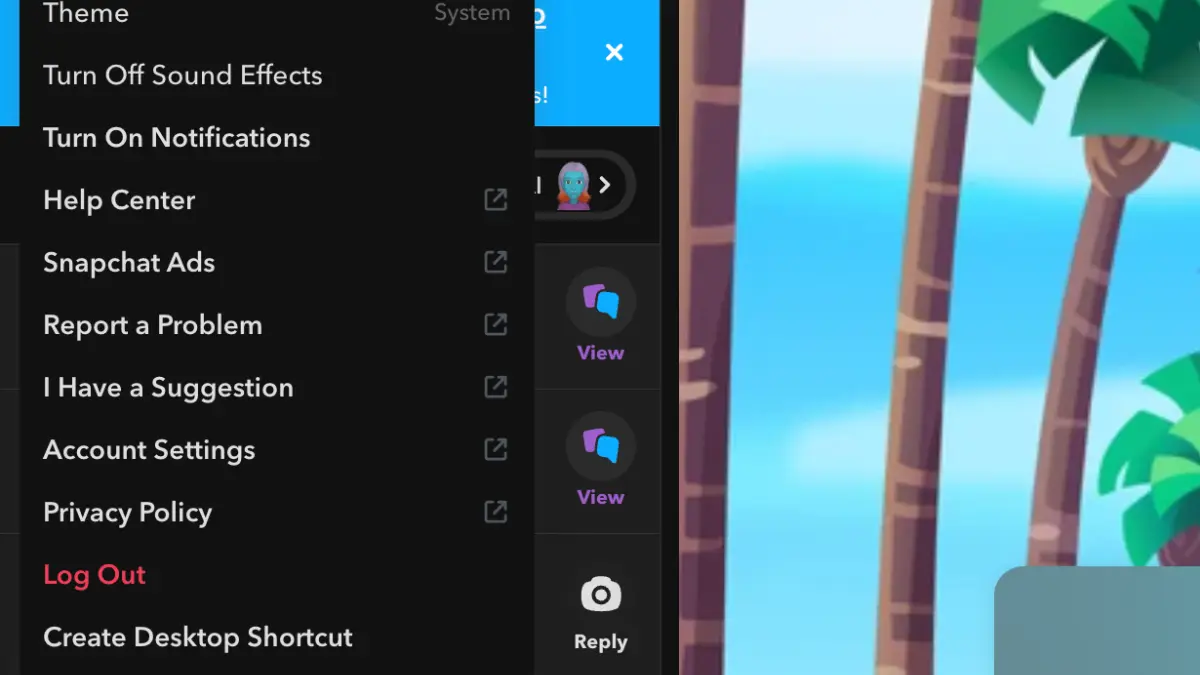
Click on your profile icon, then select 'Account Settings' from the menu to access your account options.
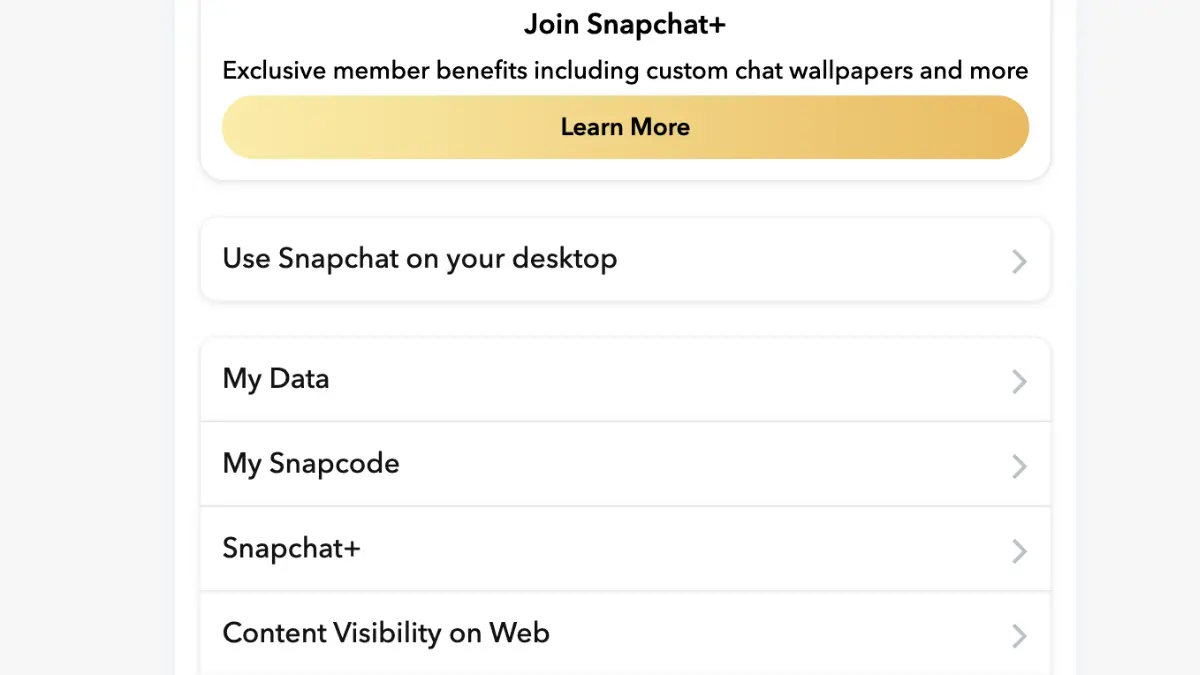
Scroll down to 'My Data' section and click on it. This is where you can request your complete Snapchat data export.
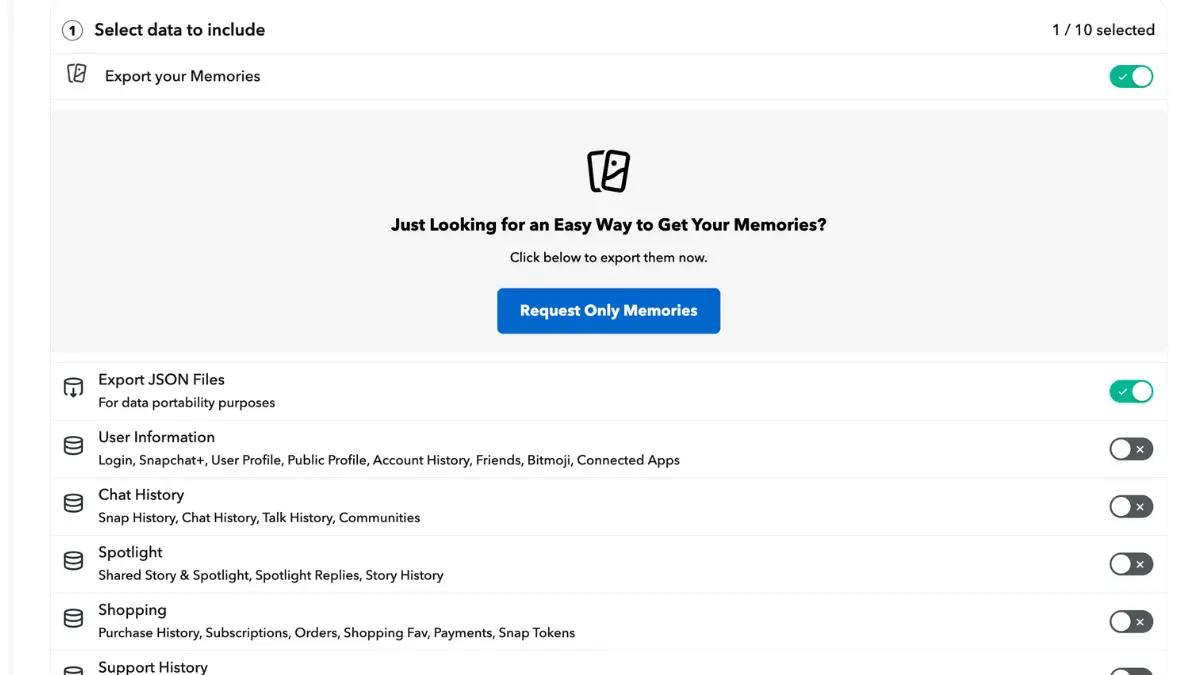
Choose 'Export your Memories' and 'Export JSON Files', select date range 'All Time', confirm your email address, and click Submit. Snapchat will email you when ready (24-48 hours).
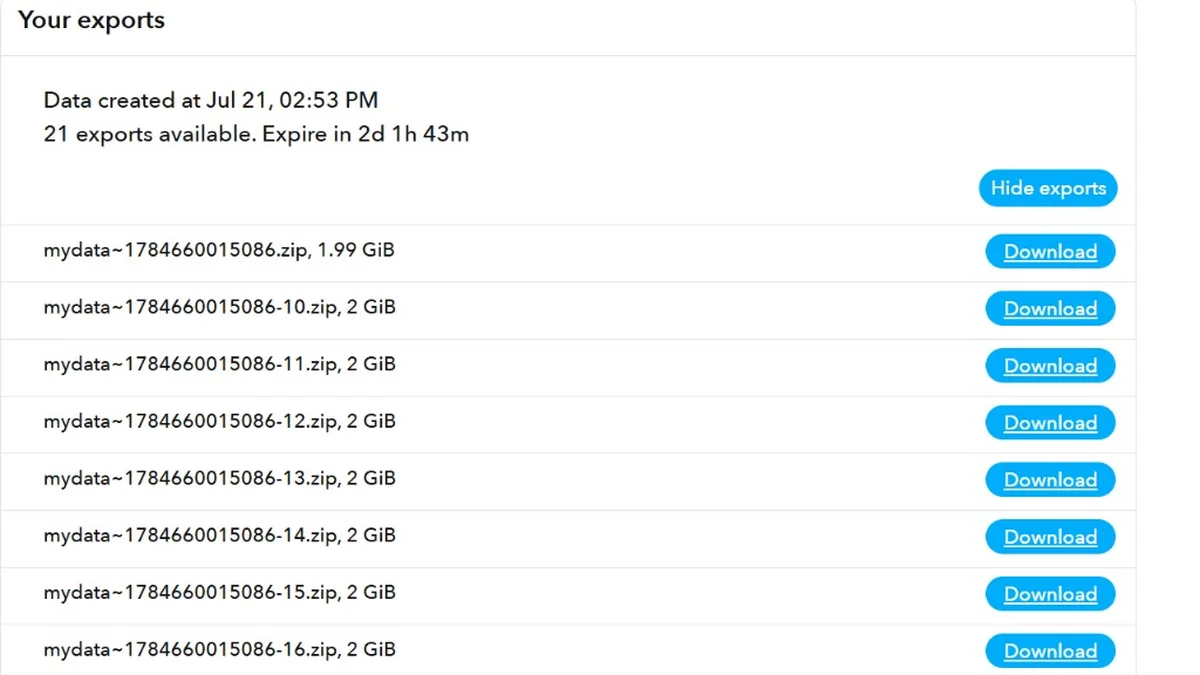
Once you receive the email, return to My Data and download all ZIP files. Snapchat may split large exports into multiple downloads - make sure you download every ZIP before moving on.
Après avoir téléchargé vos données Snapchat, ouvrez notre application de bureau, sélectionnez votre dossier primaire et corrigez tout sur votre ordinateur.
Snapchat peut envoyer votre export sous forme de plusieurs fichiers ZIP. Téléchargez-les tous depuis Mes données, puis décompressez-les. Vous obtiendrez un dossier primaire plus des dossiers supplémentaires nommés -1, -2, etc.
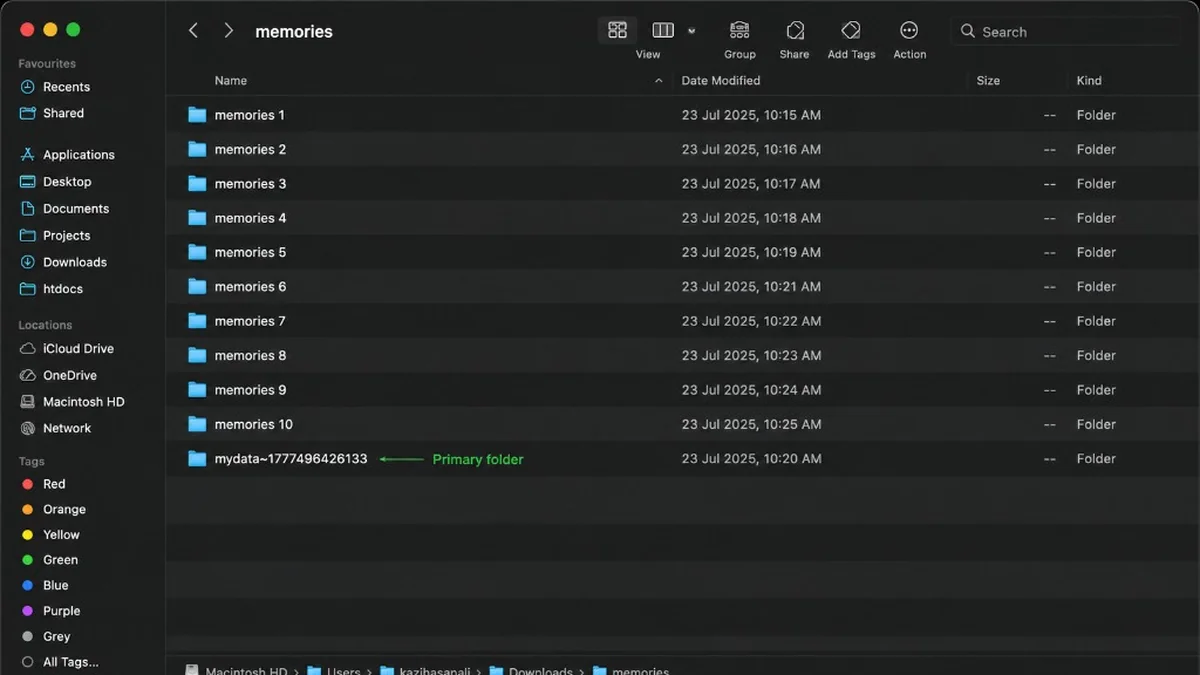
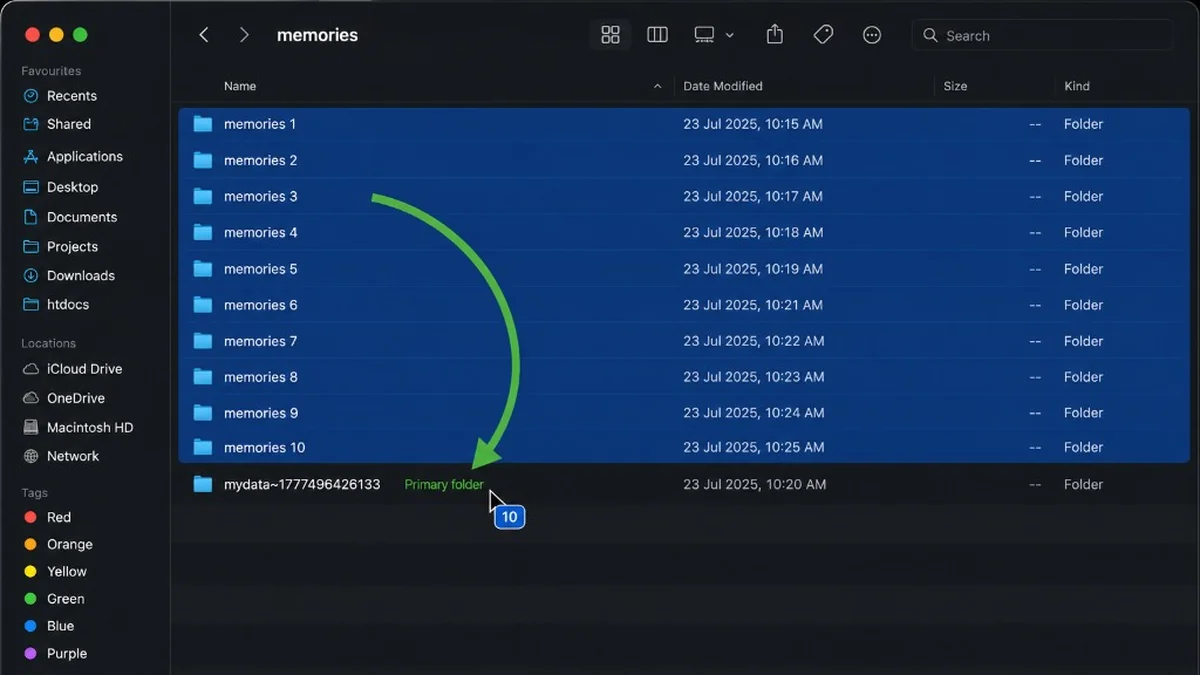
Un seul dossier reçu de Snapchat ? Passez cette étape.
Si vous en avez plusieurs, faites glisser chaque dossier memories supplémentaire dans votre dossier primaire (celui qui contient aussi json et html). Répétez pour chaque dossier supplémentaire - pas besoin de les ouvrir ni de déplacer des fichiers un par un.
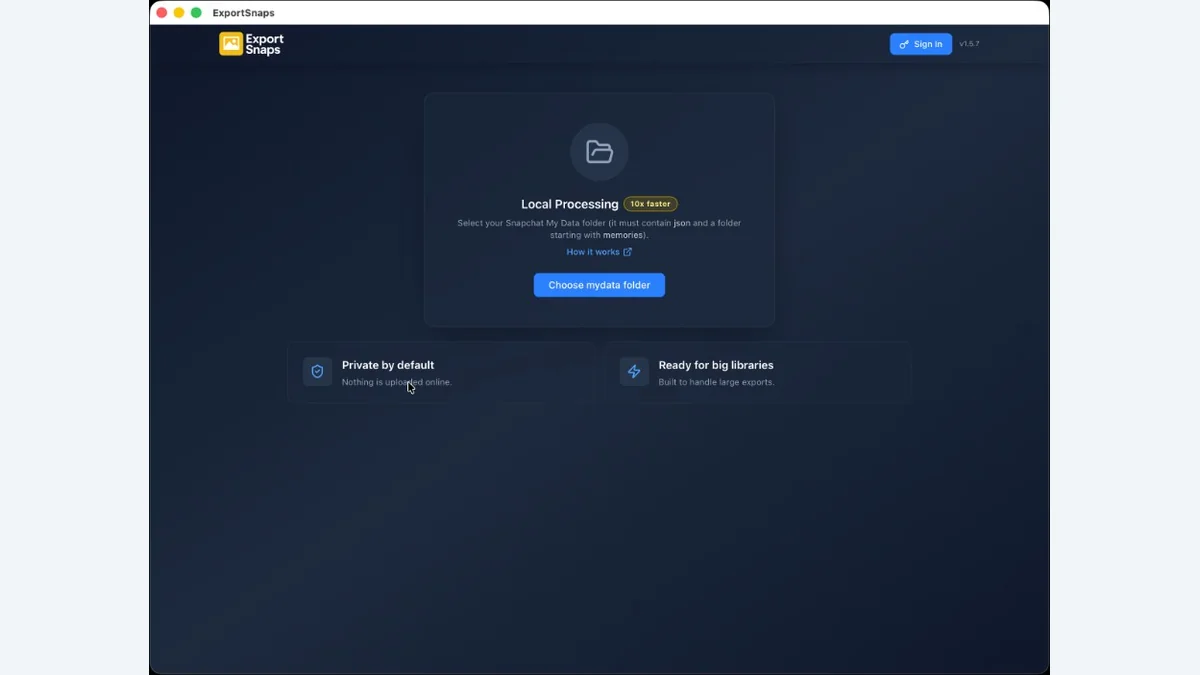
Ouvrez FixMyExport et choisissez votre dossier primaire - celui qui contient vos photos, json et html. Ne choisissez pas les dossiers -1 ou -2. Quand l'application trouve vos fichiers, vous pouvez lancer l'export.
Avant d'exporter, choisissez où vos photos doivent aller. Enregistrez-les dans un dossier sur votre ordinateur, ou envoyez-les directement sur Google Drive ou Dropbox.
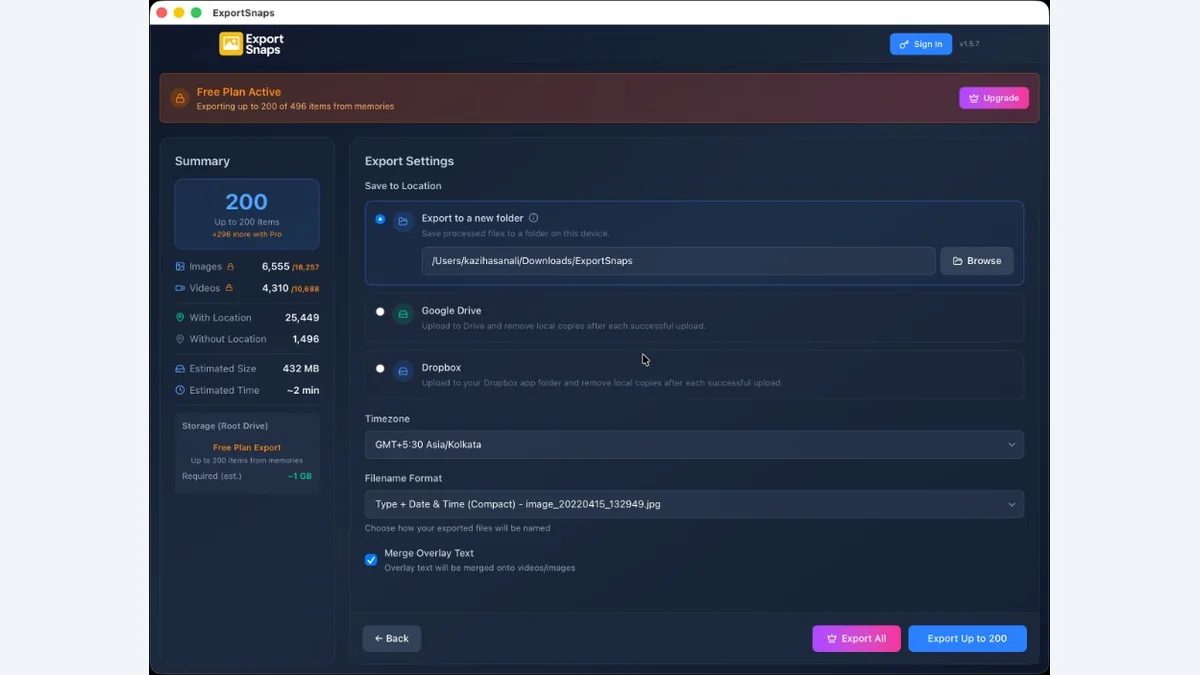
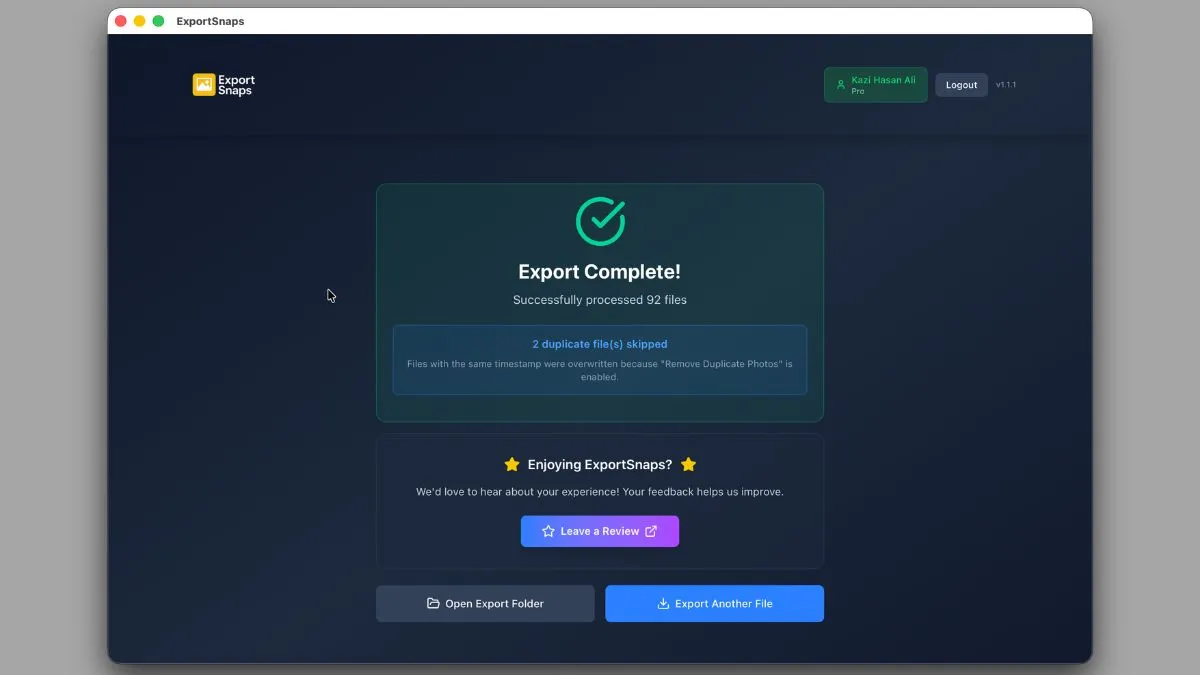
Lancez l’export et attendez la fin de l’écran de progression. Date, heure et GPS (s’ils sont dans la JSON) sont écrits dans les fichiers pris en charge. Si la fusion d’overlay est activée, les ressources -overlay sont fusionnées avec les paires -main selon votre choix d’emplacement.
Your data never leaves your computer. The app processes everything locally - no uploads to our servers, no cloud processing, complete privacy guaranteed.
Embeds DateTimeOriginal and GPS coordinates from memories_history.json as standard EXIF tags. Photos sort correctly in Apple Photos, Google Photos, and all gallery apps.
Downloads multiple files simultaneously to maximize speed. The app intelligently manages connections to Snapchat's CDN for the fastest possible export without hitting rate limits.
Automatically retries failed downloads and remembers progress. If you close the app or lose internet, restart and it picks up where it left off without re-downloading completed files.
Downloads full-resolution photos and videos exactly as stored by Snapchat. No compression, no quality loss, no watermarks - you get the exact original files you uploaded.
Exported Memories appear on timeline views sorted by date and on map views by location in all major photo apps. Perfect for reliving memories chronologically or by place.
Snapchat takes 24-48 hours to prepare your data export after you request it. Once you receive the download link via email, downloading the ZIP file takes 5-30 minutes depending on your data size. Processing with FixMyExport is instant - typically completing in 2-10 minutes depending on how many Memories you have.
You need the memories_history.json file from your Snapchat data export ZIP. After downloading the ZIP from Snapchat, extract it and locate the memories_history.json file in the root folder. This JSON file contains all the metadata (dates, locations, captions) for your Memories.
No, FixMyExport processes everything locally on your computer. Your memories_history.json file and downloaded photos never leave your device. The app reads the JSON file, downloads media directly from Snapchat's CDN to your computer, and organizes files locally with proper metadata.
Currently, Snapchat's data export includes all your Memories from the selected date range. You can choose 'All Time' or a custom date range when requesting your export from Snapchat. After exporting with FixMyExport, you can manually delete unwanted photos from the output folder.
Snapchat export links expire after a few days. If your download fails, go back to snapchat.com/my-data and request a new export. Make sure you have stable internet and enough storage space. Once downloaded, the ZIP file remains valid - you can retry extracting and processing it anytime.
Yes! FixMyExport reads the original timestamps and GPS coordinates from memories_history.json and embeds them as proper EXIF metadata. Your exported photos will sort chronologically in Apple Photos and Google Photos, appear on map views, and display the correct capture date.
FixMyExport shows the estimated size before starting. Generally, photos are 2-5MB each and videos 10-50MB. If you have 1,000 Memories, expect around 10-20GB. Make sure you have at least 1.5x the estimated size free on your hard drive for the ZIP download and extracted files.
Yes, you can pause or cancel the export at any time. Already-downloaded files are saved and won't be lost. If you cancel and restart later, the app will skip files that were already successfully downloaded, resuming from where you left off.
Restaurez les dates et le GPS pris en charge, fusionnez les superpositions séparées, réunissez les vidéos scindées et exportez une bibliothèque Snapchat utilisable.
Download FixMyExport