
Two full local copies
A 100 GB export can temporarily need close to 200 GB when the raw files and processed output both remain on disk.
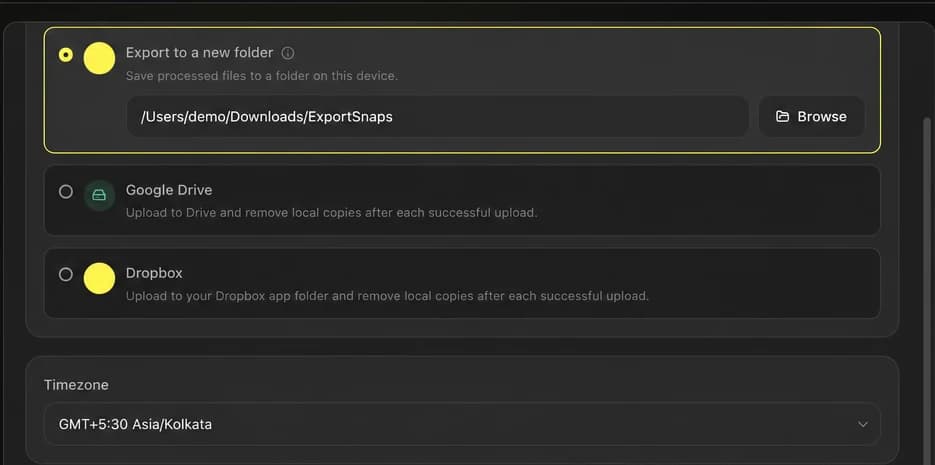
Process your Snapchat memories on your device, then send the finished files directly to your own Google Drive or Dropbox account. Avoid storing both the raw export and another full local copy.
Processed on your device
Your cloud account
Media is never uploaded to FixMyExport servers
The storage bottleneck
A traditional workflow keeps the downloaded export and a second processed library on the same device before you upload anything to the cloud.
A 100 GB export can temporarily need close to 200 GB when the raw files and processed output both remain on disk.
After processing finishes, you still have to move thousands of files into a browser or sync folder and wait again.
Large manual uploads can fail midway, making it difficult to see which memories reached the destination.
Uploading before processing preserves the export's missing metadata, separate overlays, and split videos.
Process locally, save remotely
FixMyExport processes each memory on your device and sends the finished result to the cloud destination you selected. Your media is not routed through FixMyExport servers.
Dates, GPS, overlays, and split-video fixes are applied before upload, so the cloud receives the clean library rather than the broken raw export.
Processed on your device
Your cloud account
Media is never uploaded to FixMyExport servers
Send processed files to the cloud without first building another full-size local library.
Processing and cloud transfer happen as one job instead of two disconnected, manual steps.
Finished memories are sent to the Google Drive or Dropbox account you connect.
Supported dates and GPS data are embedded before the file reaches its destination.
Available overlays are merged and detected video segments are joined before upload.
Files are handled progressively, so the workflow does not depend on keeping the entire finished library locally.
Direct cloud export currently supports Google Drive and Dropbox. You connect your own account and choose the destination during export setup.
No. Media is processed on your device and sent from your device to your connected cloud account. It is not uploaded to FixMyExport servers.
Yes. Direct cloud export avoids creating a second complete local output library, although the Snapchat source files and temporary working space are still required.
Yes. Supported date, time, timezone, and GPS metadata is written before the finished file is sent to the selected cloud destination.
Yes. Available overlays can be merged and detected video fragments can be joined before the resulting file is uploaded.
The app records processing and transfer progress so failed items can be retried instead of requiring the whole library to start again.
Fix more before your memories reach the cloud
Start free with 200 files, then choose the cloud-enabled plan when you are ready to process your full library.